

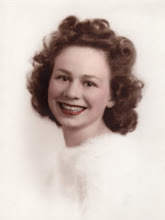
I just discovered Photoshop Brushes! I never bothered to explore those dropdown menus. I thought they were all just round with different sizes and feathering. Slow learner here! Who knew what designs were to be found! And the ones you can buy off the interenet - WOW! I just opened up a blank and started sweeping different brushes across the page using different settings and colors. When I finished I decided to add this cool image I got from http://www.art-e-zine.co.uk/vintageresources.html under Maggie's Flea Market Finds. I rather like the effect!







3 comments:
Oh my gosh - this is AMAZING!! You really have opened the window wide open into digital now! I can't believe how quickly you are progressing. Beautiful piece of creativity Stacy.
p.s. I've already said thank you, but thank you AGAIN for my award!
Stacy, you are really making great strides in digital art. I also, with the help of Marie in Australia, am just now learning about brushes and magic wands and such. I am having so much fun doing digital art that I am neglecting my paper and paints.
Thanks so very much for your kind remarks about my using my paintings along with the digital images. I had trouble tracking you down but I finally found you.
Well, you have helped me in more ways than one today! Thank you for sending me the code. I appreciate that more than you know. I haven't tried it yet but will get to it in a bit. I came to visit your blog (love your work by the way, your cards or gorgesou!) and read this post and went and tried a couple things I never knew existed! Too cool! I am learning ps too - only can do the basics of sharpening, lightening, etc. as I do most of my work by hand. But this little brush trick opens up whole new worlds! So, thanks for sharing so generously what you learn along the way. It's really nice and helps others too. For you to take the time to email me is really impressive. Hope you have a great week and thanks again!
marsha
Post a Comment